Primary Logos

Need anything that's not here? Email brand@hytopia.com

HYTOPIA Full-Color

HYTOPIA Full-Color

This is the primary logo. Use this in every instance that you can.

HYTOPIA White

HYTOPIA White

Use the white logo whenever the full-color version loses visibility or feels washed out. This ensures the brand remains clear, legible, and impactful against dark or busy backgrounds.

HYTOPIA Dark

HYTOPIA Dark

Use the dark logo when placing it over bright or light-colored backgrounds where the full-color version lacks contrast. This keeps the logo sharp, readable, and visually balanced.

Examples:

Good
Good

Good

Bad
Bad

Bad

Colors bleed together.

Good
Good

Good

Good
Good

Good

Avatars + Icons

Square (primary)

Square (primary)

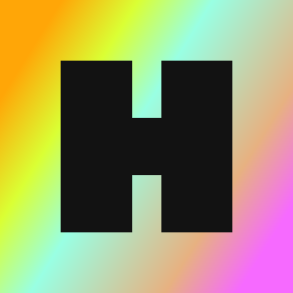
Use this as the default brand mark. It should be the first choice wherever a square format is supported.
Rounded-Corner (Social Media)

Rounded-Corner (Social Media)

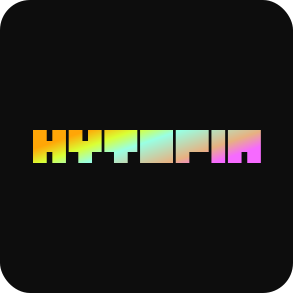
Use this for social platforms where profile images are displayed in rounded-corner frames. This version prevents cropping and keeps the logo looking clean.

Circular

Circular

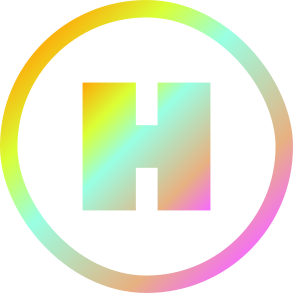
Use this when platforms or contexts require a fully round profile image.

Wordmark

Wordmark

Use this when all else fails as long as it stays legible.

Examples:

Bad Example 4
Bad

Bad

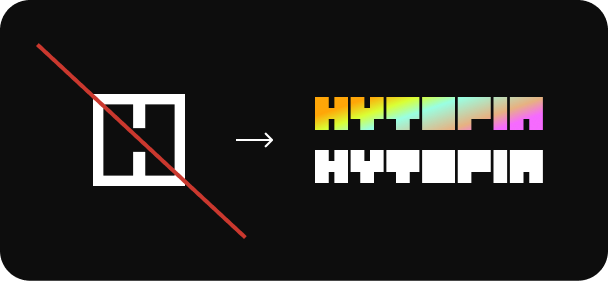
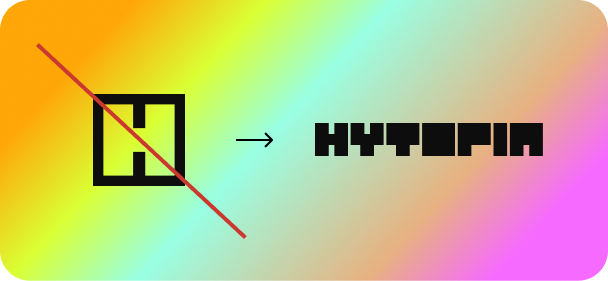
Sometimes an all white icon is needed, however, we don't ever use a white icon/avatar, instead when this rare occurrence happens, use the full "HYTOPIA White" or "HYTOPIA Full Color" logo.
Bad Example 3
Bad

Bad

Sometimes an all black icon is needed, however, we don't ever use a black icon/avatar, instead when this rare occurrence happens, use the full "HYTOPIA Dark" logo for best contrast.

Colors

Dark#0D0D0D
White#FFFFFF
Normal#999999
Uncommon#93E560
Rare#7BCEDC
Epic#CD36B1
Legendary#FF6922
Utopian#CA382E
Full Color

The only gradient fade on HYTOPIA is the diagonal fade.

FFA607
DAFF34
99FFE3
E7B181
F66AFF

Diagonal Fade (For Icon)

The gradient almost always goes from top left corner to bottom right corner.

Typography

Inter Bold

abcdefghijklmnopqrstuvwxyz

ABCDEFGHIJKLMNOPQRSTUVWXYZ

1234567890!@#$%^&*

Inter Bold

This is the main font for most headlines, titles, and button text. The sizes range from 36, 28, 20, 16, 14, and 12.

Download IconDownload Inter Bold

Inter Regular

abcdefghijklmnopqrstuvwxyz

ABCDEFGHIJKLMNOPQRSTUVWXYZ

1234567890!@#$%^&*

Inter Regular

This is used for body text, descriptions, and secondary content. The sizes range from 16, 14, 12, and 10.

Download IconDownload Inter Regular

$HYBUX Icon

Main Full Color

Main Full Color

Use this when the icon can be larger in size or is a main design element.

Full Color Knockout

Full Color Knockout

Use this only when necessary.

White

White

Use this when a white icon is required.

Black

Black

Use this when a black icon is required.

Examples:

Good
Good

Good

Bad
Bad

Bad

Colors bleed together.

Bad
Bad

Bad

Too hard to see.

Good
Good

Good

General Rules

1. It's always HYTOPIA. Never Hytopia.

2. It's always $HYBUX. Never Hybux.

3. Avoid using rainbow for anything other than the logo and occasional small accents. When in doubt, don’t use it at all.

4. Never use italics text.

5. Never full black (unless special use case).